Rules that match how you work
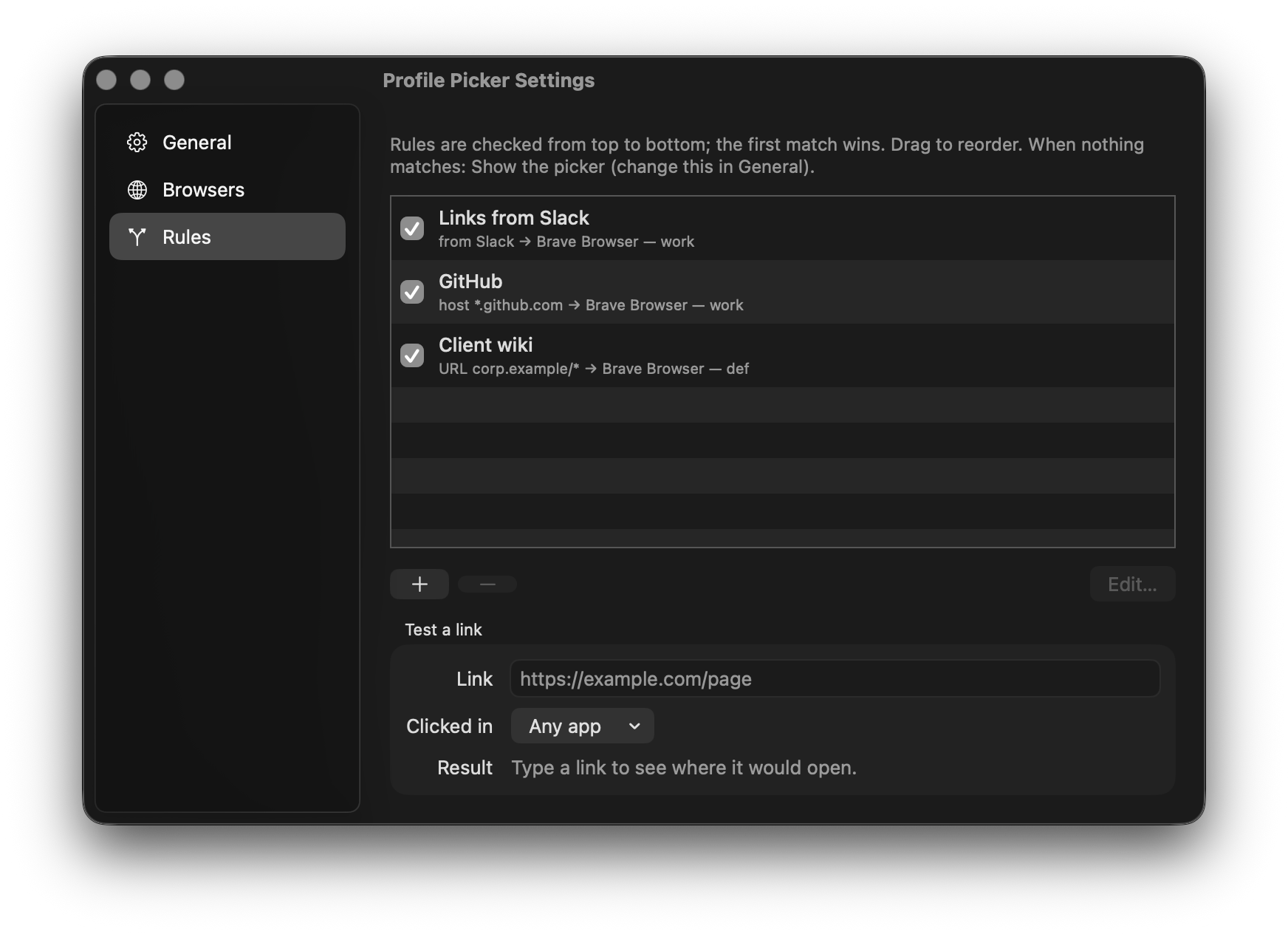
Match the app a link was clicked in, the host, or the whole URL, with * wildcards and comma-separated alternatives. Rules are checked top to bottom and the first match wins.
macOS 26 · menu bar
Profile Picker is the default browser that sends each link to the browser and profile you choose — by the app it came from, the site, or a rule you wrote.
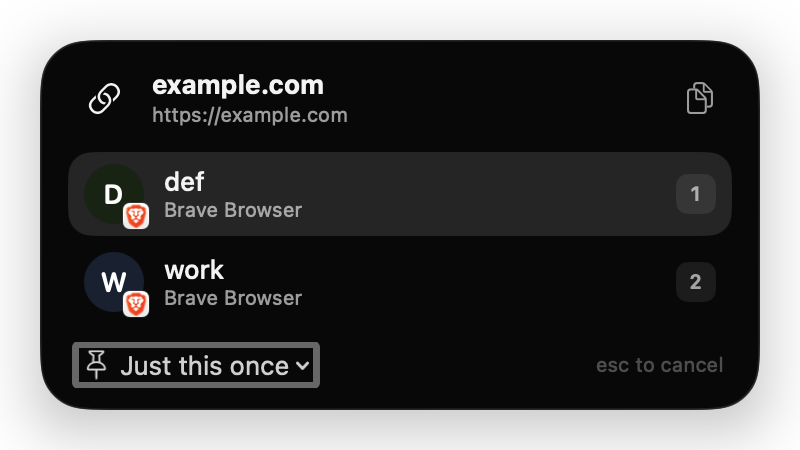
If you use Chrome, Brave, Edge or Vivaldi, you have more than one profile: work and personal, a client's account, a test account. Profile Picker makes the choice once and then gets out of the way.
Match the app a link was clicked in, the host, or the whole URL, with * wildcards and comma-separated alternatives. Rules are checked top to bottom and the first match wins.
Chrome, Brave, Edge, Vivaldi and Chromium profiles, with the names and colours from the browser itself. Open a link in the right profile, not the one that happened to be used last.
The panel appears next to the pointer, takes no focus from the app you were using, and closes with Esc. Choose with 1–9, the arrow keys or a click; ⌘C copies the link.
A one-off choice becomes a rule: “Always for github.com”, “Always for links from Slack”, or both at once. Hold ⌥ when clicking a link to force the picker every time.
No account, no analytics, no network requests. Your rules live in a JSON file inside the app's container on your Mac. Links are logged only with the address redacted.
A menu bar app with no Dock icon. Hide the menu bar item if you want a completely invisible helper. Open at login only makes the first link a little faster.
Settings → General → Make Default Browser. macOS asks once; after that every link comes through Profile Picker.
Write rules in Settings → Rules, or let the picker create one with “Always for this site”. The built-in tester shows where a link will open.
Links open straight in the profile you chose, or the picker appears next to the pointer. No dock icon, no window, no waiting.
Version 1.0.0 · macOS 26 or later · Apple silicon and Intel.
Download the DMG All downloads and checksums
Open the DMG and drag Profile Picker to Applications. The app is signed with a Developer ID certificate.